
At a glance…
Daily Puzzle Mobile App
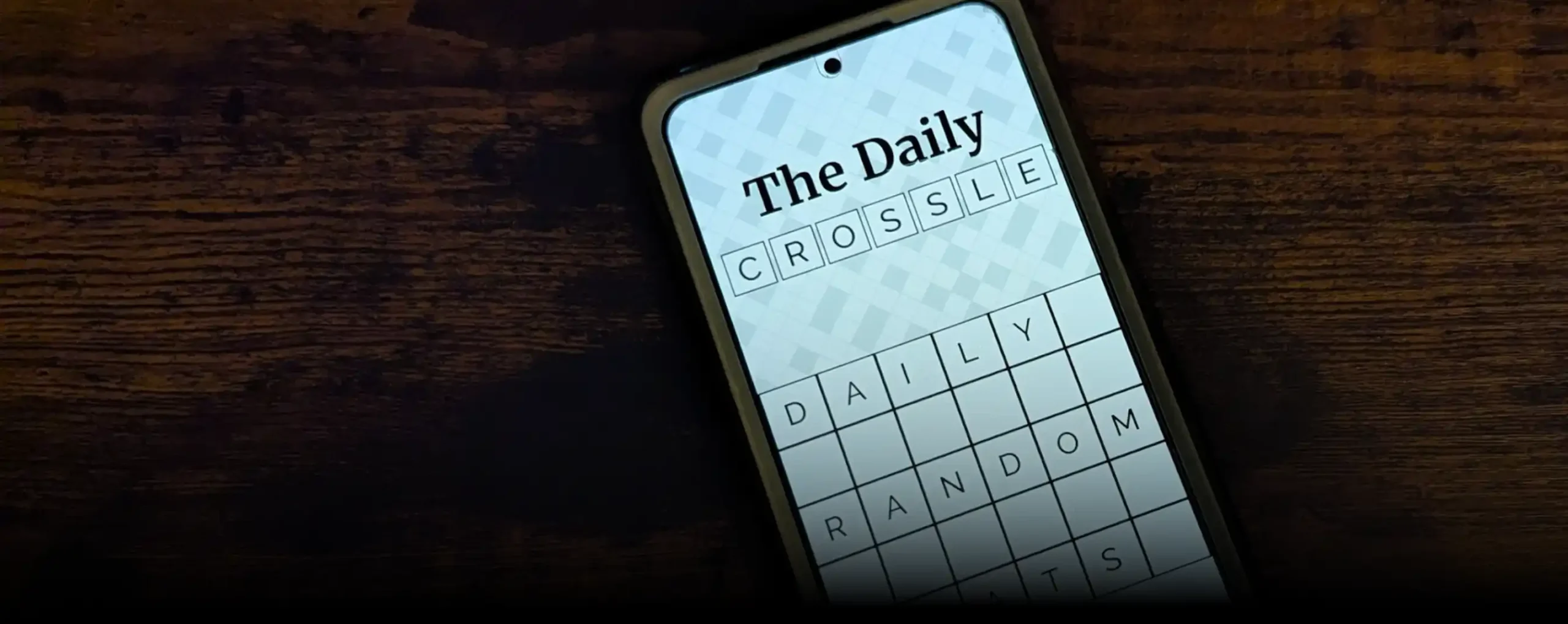
A mobile game app featuring procedurally generated daily puzzles, a polished mobile-friendly UI, and persistent stat tracking. It is still undergoing development, with a new version of the app to be released.
Role
Developer
Tools & Tech
Godot
Python
Illustrator
Photoshop
Blender
Timeline
Ongoing Development
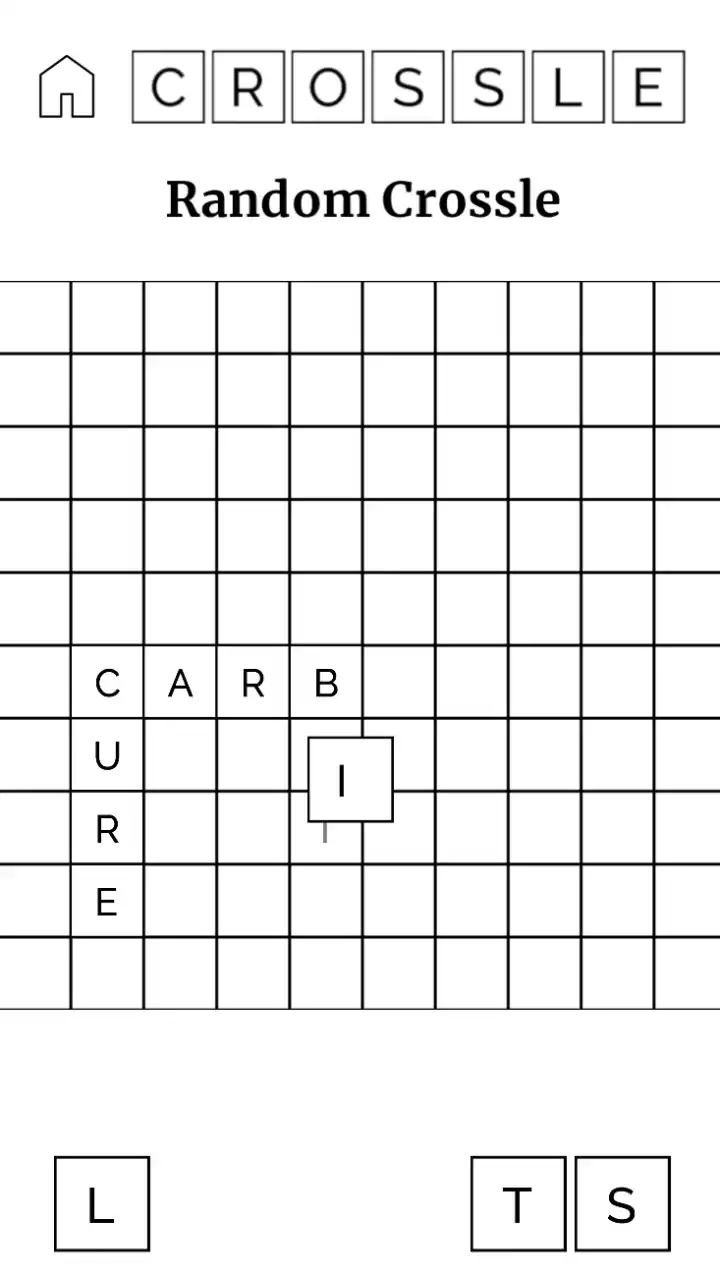
Goals & Constraints…
Key Constraints
Robust Dictionary
The game needs to know what combinations of letters count as words. This seemingly simple task became a nontrivial problem during development.
Randomness
One of the most important parts of these daily games is that everyone gets the same puzzle every day, allowing socialization and sharing of solutions.
Puzzle Generation
The puzzles that are generated need to have guaranteed solutions, with a satisfying level of difficulty. A random set of letters is not enough.
Design & Technical Breakdown…
Visual Identity
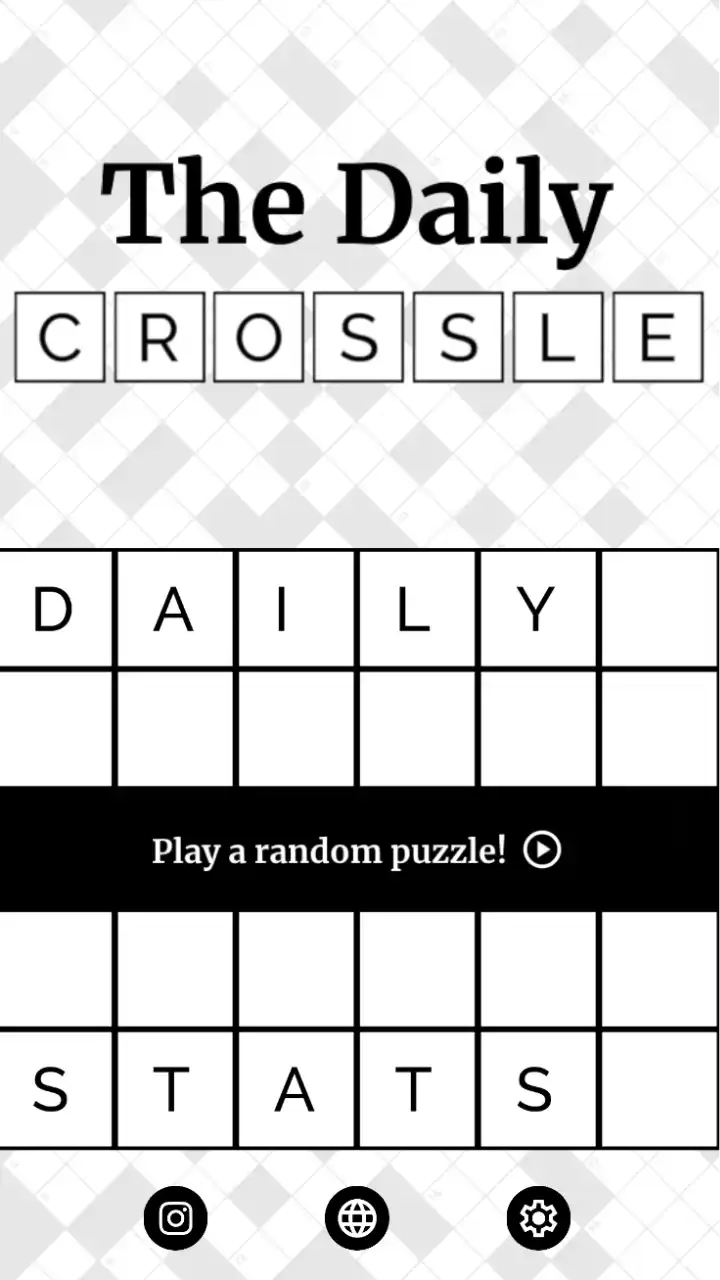

The visual design of the game is largely inspired by the look of newspaper crossword puzzles, with a modern twist. I tried to blend the classic visual style of a crossword puzzle – black and white with a serifed typeface – with some of the modern UI styles present in contemporary word games – clean tile-esque geometry with sans-serifed type.
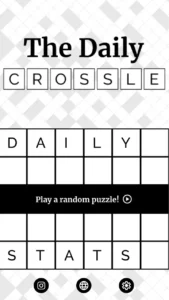
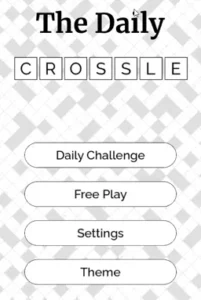
This design direction can be seen, for example, in some of the main menu elements.


I enjoyed leaning into the tiled look for the UI, animating each letter with an offset made the interface feel dynamic.
Procedural Button Animation Code
func _process(delta):
	pressTimer += delta
	if pressTimer >= 0.05:
		for i in tiles.size():
			var t = tiles[i]
			if pressMode:
				if not t.isFlipped():
					t.flip()
					break
			else:
				if t.isFlipped():
					t.unflip()
					break
		pressTimer = 0

	var animSprite : AnimatedSprite2D = tiles[0].find_child("AnimatedSprite2D")
	var animFrameCount = animSprite.sprite_frames.get_frame_count("default")
	var animFrame = 0
	for i in tiles.size():
		var t =  tiles[i]
		animFrame += tiles[i].find_child("AnimatedSprite2D").frame
	animFrame = floor(animFrame / tiles.size())
	labelImage.visible = (float(animFrame) / float(animFrameCount) > 0.45)
I am currently working on using a similar effect to transition between scenes, the main menu to the puzzle screen, for example.
Dictionaries
Despite being one of the easiest problems to conceptualize, getting the game’s dictionaries right turned out to be a more difficult problem than I anticipated. I knew from the start that I would likely need to have more than one: a pool of words to generate puzzles from and a pool of words that are accepted. It would feel unfair if a puzzle were to be generated where the only solution was with a niche or antiquated word, likewise it would feel unfair to not count these words when a user tries to solve a puzzle with them.
Creating the dictionary for the puzzle generator was straight-forward. After some research I came across this repository:
https://github.com/first20hours/google-10000-english
This repository contained lists of the most common English words, derived from Google books’ n-gram viewer, and the lists already had an important post-processing step done with removing profanities. With a quick Python script I was able to cull any words that didn’t meet my length criteria (between 4 and 8 letters in length), and I had a dictionary for my puzzle generator to use.
Python Word-Length Culling
import sys

min_len = 4
max_len = 8

input_file = sys.argv[1]

with open(input_file, 'r', encoding='utf-8') as f:
    words = [line.strip() for line in f if line.strip()]

filtered_words = [word for word in words if min_len < len(word) < max_len]

with open("output.txt", 'w', encoding='utf-8') as f:
    for word in filtered_words:
        f.write(f"{word}\n")
Creating a suitable list of accepted words was a far more evasive task. I could not simply re-use the word list I had, because while only 7000 words may account for 90% of used language*, the missing 10% was notable and frequently felt during early play-testing.
One solution I had considered was using a word list that already existed, I was specifically looking at the Scrabble word list, but that was no silver bullet between usage rights, obtaining definitions, and the overabundance of acronyms. Alternatives to the Scrabble dictionary do exist, for example Yet Another Word List, but for being last updated in 2008 and other reasons listed above, did not solve my issues. I concluded a custom solution would be worth pursuing (and retrospectively- I wanted to explore the challenge of compiling a word list.)
The solution I ended up using is a hodge-podge of different lists and techniques to try and get as close as I could to completeness.
- I started with the 10000 most common English word list that I had used prior.
- Atop that, I added words distilled from a public domain distribution of Webster’s Unabridged Dictionary. (This would help me derive definitions later.)
- I used different python NLP libraries (pyinflect and pluralize) to fill in any missing pluralized nouns or different verb tenses I was missing.
- Lot’s of play-testing and manual corrections were applied as well.
In the end I had a custom word-list (and accompanying definitions) that seemed to work well for the game.
Loading Word Lists From Files
class_name Dictionaries extends RefCounted

var sourceWords
var acceptedWords
var defs
var dictionary

func loadAcceptedWords():
	var result = []
	var file = FileAccess.open("res://script/acceptedWords.txt", FileAccess.READ)
	while not file.eof_reached():
		result.append(file.get_line())
	return result

func loadSourceWords():
	var result = []
	var file = FileAccess.open("res://script/sourceWords.txt", FileAccess.READ)
	while not file.eof_reached():
		result.append(file.get_line())
	return result

func loadDictionary():
	var file = FileAccess.open("res://script/dict.json", FileAccess.READ)
	var contents = file.get_as_text()
	var json = JSON.new()
	var _result = json.parse(contents)
	return json.get_data()

func loadDefinitions():
	var result = []
	var file = FileAccess.open("res://script/defs.txt", FileAccess.READ)
	while not file.eof_reached():
		result.append(file.get_line())
	return result

func getDefinition(word):
	if dictionary.has(word):
		var rawDef = defs[dictionary[word]].split(":")
		return rawDef
	return ["NO DEF FOUND"]

func _init():
	sourceWords = loadSourceWords()
	acceptedWords = loadAcceptedWords()
	dictionary = loadDictionary()
	defs = loadDefinitions()
*According to analysis of the Oxford English Corpus, the 7,000 most common English lemmas account for approximately 90% of usage.
Generating Puzzles
Generating the puzzles is a fairly straightforward affair. Starting with a random “seed” word, I attempt to append a “branch” word such that the combined length is equal to 13. This gives the player 12 letters to work with (1 overlapped letter) and guarantees each puzzle is solvable with 2 words.
One thing worth noting, instead of Godot’s built in RNG system, I opted to use a custom hash-based RNG that is platform (and language) independent. This way, the puzzle generator can be recreated across different mediums. (For example, a discord bot that automatically posts the daily puzzle solution?)
https://github.com/toggio/pseudoRandom
Puzzle Generator Class
class_name PuzzleGenerator

static var random = PseudoRandom.new(0)

static func dayToSeed(offset = 0):
	var firstDay = {
		"year": 2003,
		"month": 11,
		"day": 5,
		"hour": 0,
		"minute": 0,
		"second": 0
	}
	var past = Time.get_unix_time_from_datetime_dict(firstDay)
	var nowDict = Time.get_datetime_dict_from_system()
	nowDict["hour"] = 0
	nowDict["minute"] = 0
	nowDict["second"] = 0
	var now = Time.get_unix_time_from_datetime_dict(nowDict)

	return floori((now - past) / (24 * 60 * 60)) + offset

func randomWord():
	var index = random.randInt(1, GameManager.dictionaries.sourceWords.size())
	var selectedWord = GameManager.dictionaries.sourceWords[index-1]
	return selectedWord

func shuffleString(s : String):
	var charList = s.split("")

	for i in range(charList.size() - 1, 0, -1):
		var j = random.randInt(0, i)
		var temp = charList[i]
		charList[i] = charList[j]
		charList[j] = temp

	return "".join(charList)

func newPuzzle(reseed = false, seed = 0):
	##TODO fix bug where if branch letter occurs more than once in branch word, then
	if reseed:
		random.reSeed(seed)
	var seedWord : String = randomWord()
	var branchLetterIndex = random.randInt(0, seedWord.length()-1)
	var branchLetter = seedWord[branchLetterIndex]
	var lettersLeft = 13 - seedWord.length()

	var attempts = 0
	var maxAttempts = 10
	var branchWord : String = randomWord()
	while not (branchWord.contains(branchLetter) and branchWord.length() == lettersLeft) and attempts < maxAttempts:
		branchWord = randomWord()
		attempts += 1

	if (attempts == maxAttempts): return newPuzzle()
	print(seedWord)
	print(branchWord)
	print(branchLetter)
	var p = {
		"seedWord": seedWord,
		"branchWord": branchWord,
		"branchLetter": branchLetter,
		"letters": shuffleString(seedWord + branchWord.replace(branchLetter, ""))
	}
	print(p["letters"])
	return p;
Completed Puzzles & Sharing
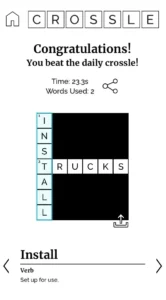
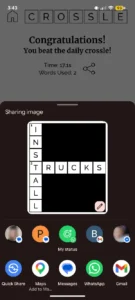
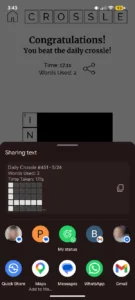
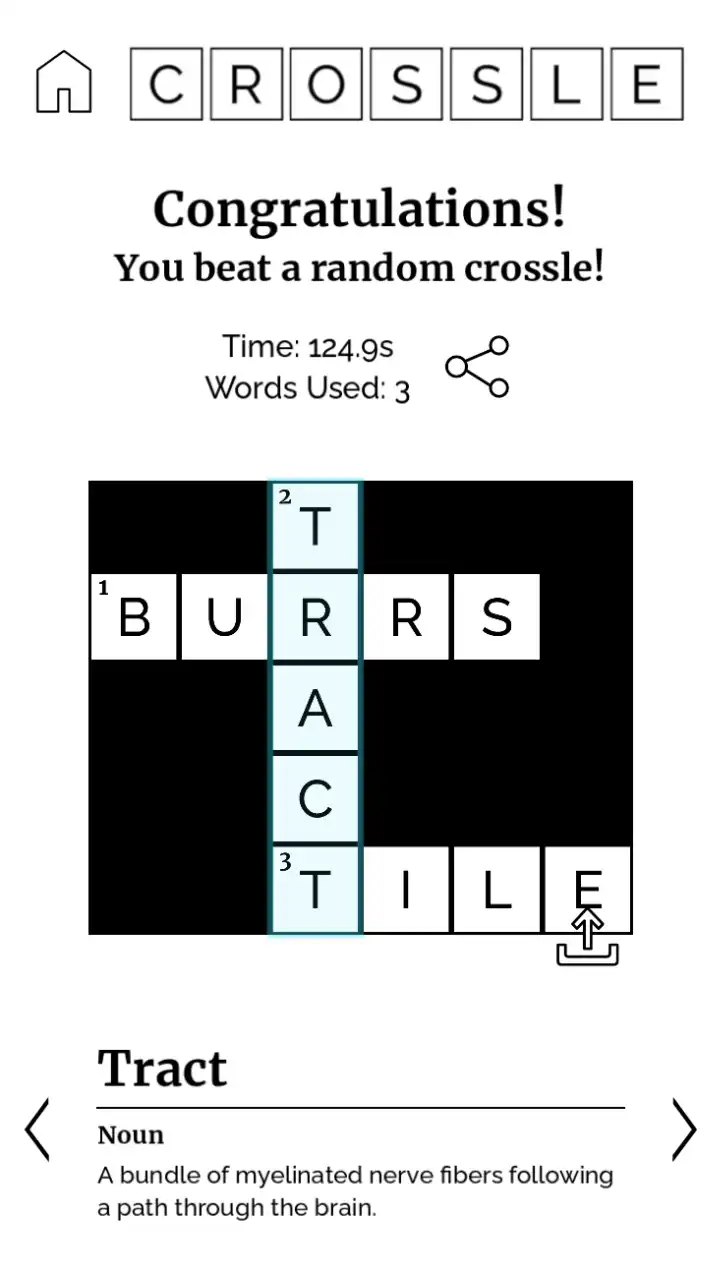
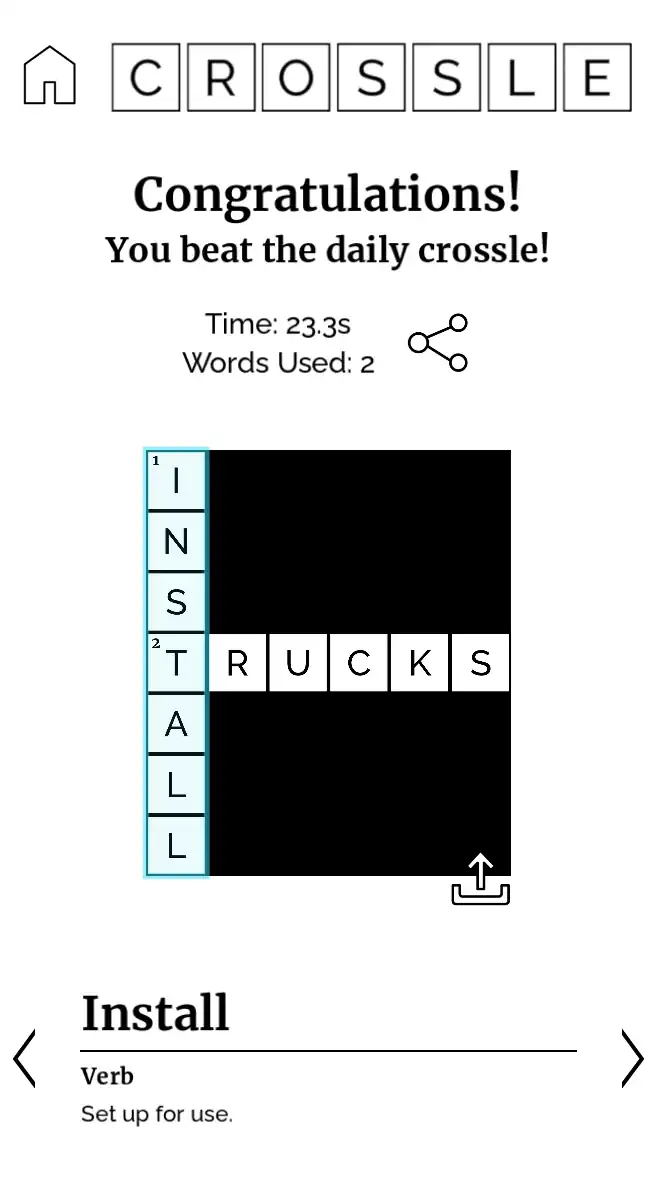
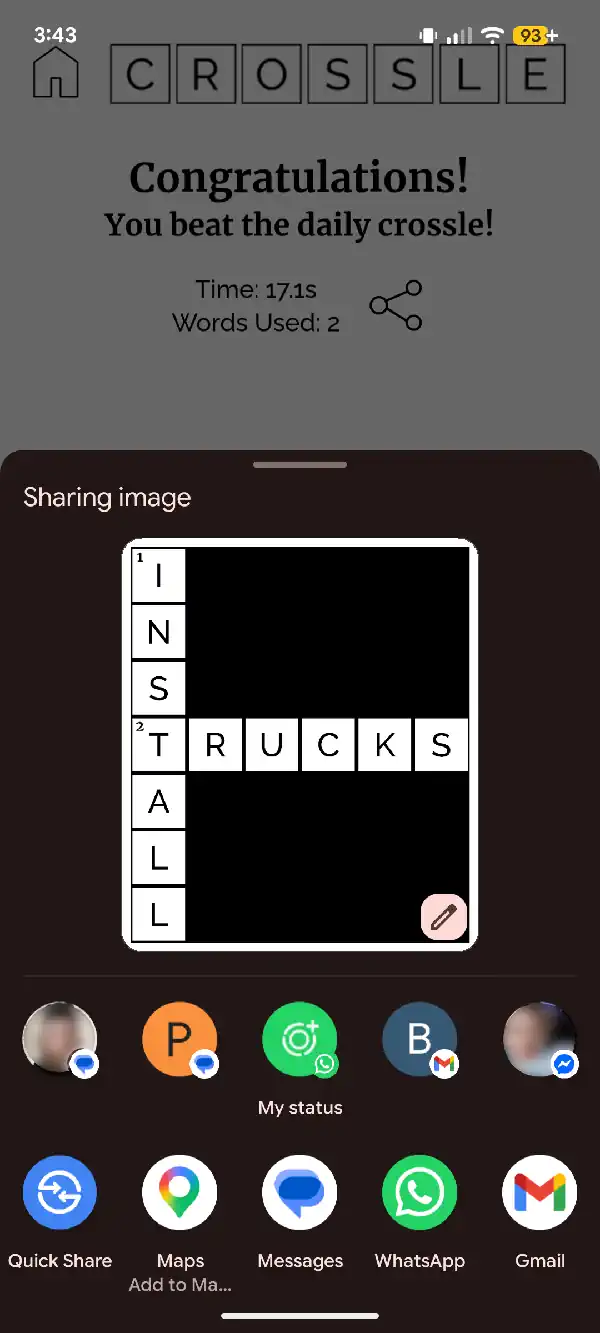
An important aspect of word games like this, especially viral ones, is the ability to easily share your solutions and results.I implemented the ability to share both a screenshot of your solved puzzle, or to share a spoiler free “wordle-esque” text emoji depiction of the solved puzzle.
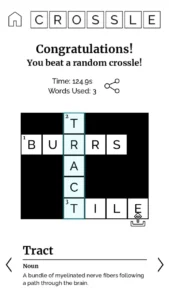
I also took the solution screen as an opportunity to double down on the crossword-theme with some design choices. I added numbers to each of the words in the solution, blacked out the blank squares, and added the definitions of the words to the bottom of the screen (analogous to crossword hints.)
The definitions are accessed first via a local dictionary, and should a definition be found missing, it uses the Wiktionary api to fetch the definition over the internet.
Wiktionary API Call
func getWikiDef(word):
	print("Requesting word def online: "+word)
	var hdrs = ["Accept: application/json", "User-Agent: **************@gmail.com"]
	var httpresp = await $AwaitableHTTPRequest.async_request("https://en.wiktionary.org/api/rest_v1/page/definition/"+word, hdrs)
	if httpresp.success() and httpresp.status_ok():
		var json = httpresp.body_as_json()
		if json.has("en"):
			var pos = json["en"][0]["partOfSpeech"]
			var defn = json["en"][0]["definitions"][0]["definition"]
			var regex = RegEx.new()
			regex.compile("<.*?>")
			defn = regex.sub(defn, "", true)
			return {"def": defn, "pos": pos}
	return {"def": "No definition found.", "pos": ""}
Where next?
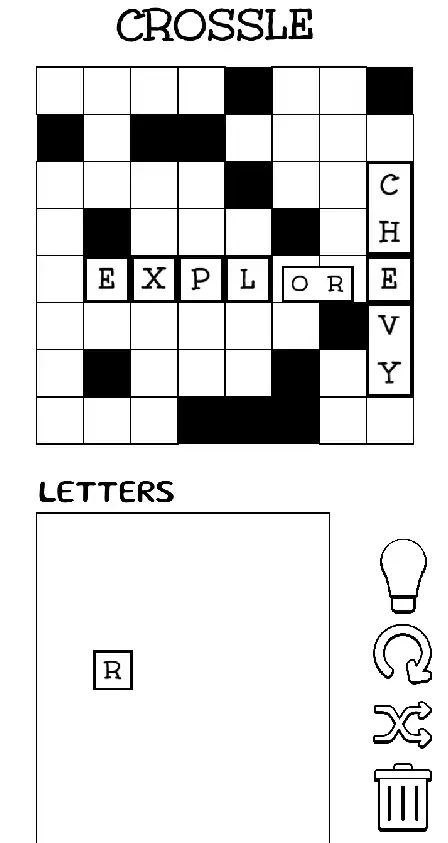
This project is still undergoing active, albeit slow, development.
In a separate version I am experimenting with some alternate mechanics to make the puzzles more interesting/harder:
- Black boxes peppering the puzzle space (space is carved out for the generated solution so the puzzles are still guaranteed to be solvable.) These spaces block letters from being places atop them, and also serve to reinforce the crossword theme.
- Multi-letter, rotatable tiles. Some of the puzzle letters are grouped together into inseparable tiles. These tiles can be rotated around and used in any orientation, adding a bit of depth and spatial challenge to the puzzle solving process.
Gallery & Results…
Leave a Reply